
You built a stunning website, but visitors don’t read the content, and they don’t convert. It’s probably because you’re attracting the wrong users or turning away the right ones.
Website engagement is a measure of how much, on average, users interact with a website. We express it with handy metrics: time on page, user actions, scroll depth, and bounce rate.
In Google Analytics 4 (GA4) terms, focus on engagement rate, engaged sessions, average engagement time, scroll depth, and key events (e.g., form starts, adds to cart). Bounce rate exists in GA4 but is the inverse of engagement and is less useful as a primary KPI.
What website engagement means is:
- Does your audience care about you?
- Does your design help them find what they need?
- Does your content grab them and refuse to let go?
- Do your decisions improve their experience or annoy them into leaving?
In 2026, AI answers in search (e.g., Google’s AI Overviews and LLMs) are siphoning generic clicks and sending a higher share of ready‑to‑act users to sites. That means engagement levers that address specific, bottom‑funnel needs now drive outsized returns.
Let’s look at 12 ways to improve website engagement to increase the profitability of your site. Just remember, the tactics will fail if you aren’t crystal clear about who you serve and why they should care.
- Understand Your Audience and Customers
- Create Content That Fulfills Visitor Needs
- Build Blogs for UX and SEO
- Improve Technical UX
- Simplify Design
- Use Clear Calls to Action
- Create an Internal Linking Web
- Add Interactive Elements
- Optimize for Mobile
- Build Accessible Websites
- Improve Search Functionality
- Include Chatbots or Live Chat
- The Connection Between UX and SEO
- Take the Guesswork Out of Engagement
- Frequently Asked Questions
1. Understand Your Audience and Customers
Websites are dual-purpose; they exist to serve your business goals, but they can’t do that unless you understand what your audience needs. So websites must address a need in the market and serve multiple types of users you’re interested in attracting.
Understanding what experiences users need and expect is the first step to serving them well. To do that, you need to conduct extensive audience research.
Build Ideal Customer Profiles
Ideal customer profiles (ICPs) are profiles of hypothetical people who would be a business’s customers. They usually include information about:
- Demographics
- Education level and types of professions
- Interests, hobbies, and family
- What problems or pain points they have and how they address them
- Where your business fits into their life
ICPs help guide marketing efforts and attract people within audiences that are most likely to become customers.
To build ICPs for website visitors, lean on internal and external sources of knowledge, like:
- Existing documentation — for example, sales team training material, product-market fit evaluations, and historical marketing data
- Common questions, issues, feedback, etc., encountered by sales and customer support teams
- The problems and questions people post on social networks, Reddit, Quora, and niche forums
- Channels and discovery by surface — which topics your audience finds via Google vs. LLMs vs. social or video — to forecast content format and depth expectations
- Content marketing tools like SparkToro to discover who people follow and what they engage with
You can augment your research with lightweight AI‑assisted “listening” — summarizing repeated pain points from call notes or tickets — then validate that information with real interviews. Don’t outsource the decisions to AI, though; use it to compress synthesis time.
Once you understand the people you hope will use your website, you can predict and build around their needs.
Build Buyer Journeys and Funnels
An audience includes people with various issues, interests, problems, and awareness. Websites should create experiences for people at multiple stages of relevant journeys and problems.
It helps to think of audiences as a loose hierarchy based on proximity to your brand:
- Total potential audience
- Existing audience
- Potential customers
- Existing customers
These different classes of visitors have different needs, and the funnel is one way of conceptualizing them.
Top-funnel users are seeking information, advice, or entertainment. They’re generally not familiar with your brand and aren’t disposed to make a purchase. They’re audience members who might become customers, but not right now.
Middle-funnel users may be thinking about making a purchase, but they’re still considering it and aren’t 100% convinced. They need more information about their specific situation and the available solutions.
Bottom-funnel users want to make a purchase. They know they need something and may be shopping for features, comparing pricing, etc. They’re most likely to be receptive to persuasive language.
Build a set of questions or problems that the website should solve for each type of user. For example, a website selling financial SaaS tools might develop a plan for new pages to attract a new type of customer: small business owners.
- Top funnel: To build a new audience, the website needs pages that solve problems
-
- Calculators for tax, payroll, and foreign transaction fees
- Informational pages about employment and HR requirements in different U.S. states
- Articles about small business trends, funding, and new tax legislation
- Mid funnel: A series of articles about problems common to business owners who might have an imminent need for or be outgrowing their current payroll services
-
- “Onboarding your first new hire”
- “When do you need X professional?”
- “How to automate business payments”
- Bottom funnel: New pages that focus on how the products can help small businesses
-
- Product/landing pages
- Articles that compare the service to competitors
- Case studies highlighting the success of similar customers
The goal of funnels is to meet users where they are, leading them on a journey that ultimately results in a conversion, but audience journeys aren’t linear. People exit and re-enter funnels, leave tasks unfinished, and journeys can take weeks or months. You need to serve a user’s current needs first and foremost.
2. Create Content That Fulfills Visitor Needs and Intent
Understanding search intent is the core of good SEO and user experience (UX). Successful content marketing sets relevant expectations, then delivers on them. Users should, at all times, know what to expect by performing an action, and get exactly that expected result.
This is where being too aggressive about the funnel often fails. Don’t be so focused on the downline conversion that you forget to solve the problem in front of the user.
Keyword tools often classify intent in four ways:
- Informational: Looking for answers, advice, or learning
- Commercial: Comparing products and services, doing purchase-related research
- Transactional: Directly looking to make a purchase
- Navigational: Looking for a specific page
This is an OK starting point, but it’s mostly just a reskinned funnel and a reductive view of intent. Intent is a messy space of emotions, desires, problems, assumptions, patterns, and external influences that create a need to take an action.
In addition to the utilitarian intent of a query, you must also create content that engages a user’s emotional intent, level of experience, and overall journey.
A classic mistake marketers make is adding definitions to everything for SEO optimization. Here’s an example:
You’re writing a post to target the query: “Can you refinance a HELOC?”
You might be tempted to start the post with definitions to target other informational queries, like “what is a HELOC?” or “should you get a HELOC?”
From a semantic relevance point of view, this might make sense, but a user reading the post will likely bounce away without reading it.
The search indicates that they have a HELOC and don’t need you to tell them what it is. By trying to optimize the article for definitional keywords, you’re telling the user that the content isn’t right for them, that you aren’t going to answer their question.
Their pain point is managing their payments, and this financial pressure led them to a specific search. The content should focus on answering the question at hand and solving the true problem.
That’s what intent means. It’s the difference between giving someone what they need and treating them like they’re stupid.
Different types of content intent could include:
- “How-to” intent: The user is looking for a guide about how to perform a specific action.
- Learning/deep reading intent: The user wants to learn about a concept or topic thoroughly.
- Definition intent: The user is looking for a specific definition and will skip/skim to find it or rely on an AI summary.
- News intent: The user is looking for general news or updates about a specific event.
- Purchase intent: The user has a specific product in mind and is on their way to buy it.
- Browsing intent: The user knows what they want but wants to browse e-commerce listings to see what’s available.
- Comparison intent: The user is doing research and wants to compare features, pricing, etc.
You get to intent by answering the five W’s:
- Who is the user?
- What do they need, specifically, right now? What do and don’t they know?
- When do they need it, and what’s the timeframe of their interest?
- Where are they looking for information (search, social media, video, etc.)?
- Why are they searching?
These approaches change by content type:
- Top‑of‑funnel (TOFU) definitions/how‑tos are more likely to be answered in SERP or by AI tools. Win clicks by addressing specific context, edge cases, pricing, and comparisons that generic summaries skip.
- Design content should be citable by answer engines; use precise headings, tight definitions, data, and expert attribution.
- Mixed-intent queries require you to lead with the fastest answer, then expand on it. Avoid front‑loading broad definitions that derail task completion.
3. Build Blogs for UX and SEO
Blogs still compound authority and engagement — especially when they match post‑AI behavior. Siege Media’s two‑year dataset (12,200+ URLs; 7.2M sessions) shows a clear shift toward bottom‑funnel content.
And blogs can contribute significantly to SEO performance, improve user engagement, and generate profits. At Siege Media, we generate over $90 million in traffic value, primarily through blog articles.
Blogs are sections of a website that need their own design philosophy, content hierarchy, and SEO practices. A dedicated content hub or blog can be especially useful for content marketing on enterprise teams because it’s a space that content marketers can own.
Blogs work best when you put them in the hands of SEO and content experts, then let those experts cook.
A well-executed blog supports the SEO of your entire website by building E-E-A-T signals, acquiring links from external references, and spreading that value across other pages with internal links. What’s winning now, compared to 2023, is:
- Pricing and cost content: 12% increase in share of traffic
- Comparison and versus content: 2% increase in share of traffic
- Industry trends posts: 62% increase in engagement
- Proprietary research: 62% increase in engagement
- Product updates: 60% increase in engagement
The move is clear: make BOFU your blog growth engine and elevate your reliance on unique data and updates.
Dig into Siege Media’s best practices in blog design and execution for more information.
4. Improve Technical UX
Technical performance can be a hard barrier to user engagement. Here’s why:
- If a website responds slowly, users may lose patience.
- If a website has a high resource demand, users may not be able to use it efficiently (or at all).
- If a website interrupts or blocks content with ads, pop-ups, etc., users may get frustrated and leave.
- If assets or content shift around too much during loading or navigation, users may take accidental actions or leave.
Google’s Core Web Vitals report is a key tool for improving a website’s technical user experience. Core Web Vitals assess a website’s performance in terms of user experience:
- Largest Contentful Paint (LCP) measures the time it takes to render the largest element on the page. Goal for ≤ 2.5s.
- Interaction to Next Paint (INP) measures the time it takes for a page to respond to user interactions like clicks and taps. Goal for ≤ 200ms.
- Cumulative Layout Shift (CLS) measures how much the elements on the page change locations on the screen. CLS < 0.1 at the 75th percentile.
High numbers in any of these reports indicate technical issues that impact user experience. You can’t convince audiences to engage with you if they’re annoyed at the start of the interaction.
Improving website performance makes the whole experience smoother for users, removing friction.
| Website Performance Best Practices |
|---|
| Compress images using .webp format |
| Use lazy loading for images and videos |
| Embed videos or use compression to avoid long load times |
| Test and optimize Core Web Vitals and time to first byte |
| Use screen-size responsive designs to reduce layout shift |
| Avoid unnecessary interstitials like pop-ups |
| Clearly label ads and avoid using too many on a page |
| Use the minimum effective number of page assets to reduce HTTP requests |
| Cut unnecessary code that loads before the main content |
| Minify code to reduce loading times |
| Serve basic HTML first to improve crawlability and performance |
| Use font optimization and code splitting to improve interactivity |
| Use browser caching for static elements to reduce server load |
| Use a content delivery network to ensure all users can access content at similar speeds |
| Instrument field data (CrUX, RUM) and prioritize fixes that reduce main‑thread blocking to improve INP |
5. Simplify Design
A website’s first job is to be usable. Every additional thought or question a user has adds friction to their interaction with your website. Don’t let design sabotage navigation.
Instead, design should enhance the navigation experience by clarifying next steps and making discovery feel natural. Use common elements to signify important content in visual languages that users understand, such as:
- A clear top menu
- Web-safe fonts and backup fonts
- Color schemes that prioritize clarity and legibility
- Limited options based on what users are most likely to do next
AI models favor pattern literacy (clear menus, predictable affordances) over novelty. Avoid engagement‑killing anti‑patterns:
- Stacked modals
- Hidden navigation
- Layout shifts under the cursor
At Siege Media, we have a value-additive design philosophy when adding visual content to websites. Images and videos should provide additional unique value to the user. Before you add media to a website, ask what purpose it serves and how it helps build a functional user experience or deliver your specific message.
6. Use Clear Calls to Action
Calls to action (CTAs) are part formula, part art form. Clever application of plain language can work wonders for conversion rates, but this isn’t an area where you should get too experimental. Stick to the rules, but experiment within them.
These are the rules for CTAs:
Use imperative verbs: Make sure you’re setting a clear expectation about the action you desire or the result. Imperative verbs give commands, instructions, or requests.
This includes words like: buy, sign up, view, download, watch, get, enter, click, learn, enjoy, and find.
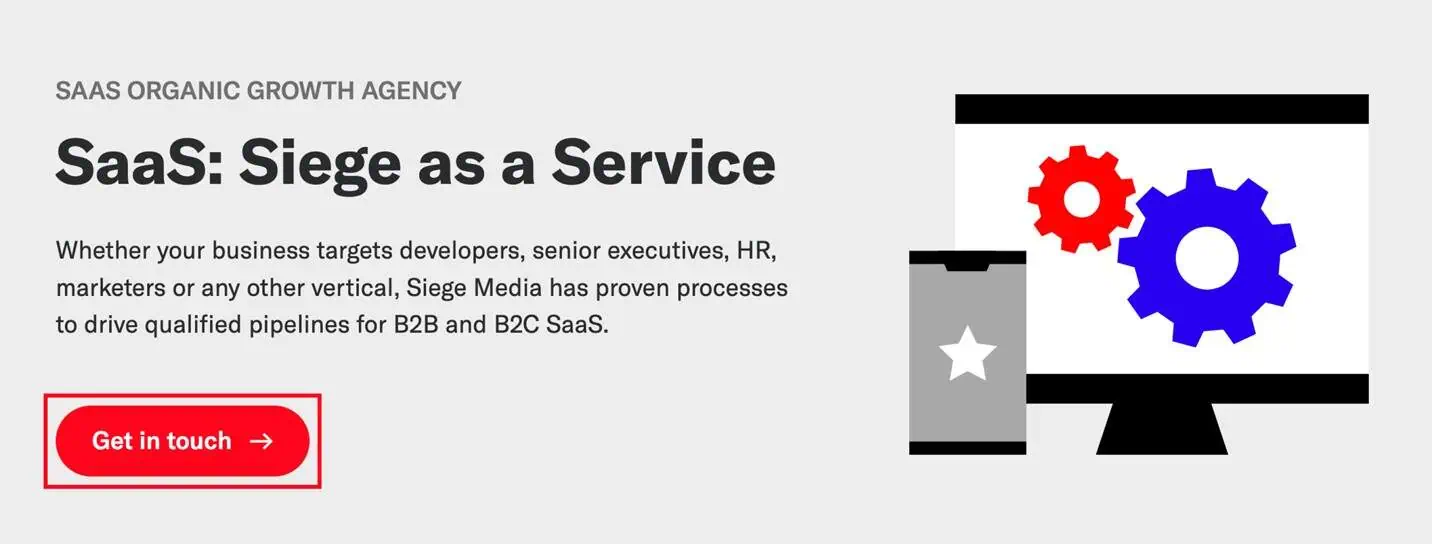
Make CTAs interactive: People will click on CTAs (or things they assume are CTAs), so you must make them interactive in a way that makes sense.
Buttons work well for CTAs because they’re a visual indicator of a clickable element. Make sure the whole button is clickable.
If the CTA is a line of text, clearly hyperlink relevant words.

Set CTAs apart from the rest of the content: All CTAs should be on islands, which means they’re separated from other content by white space. Text CTAs should have paragraph breaks above and below them, and buttons should be easy to see on the page.
Make CTAs attractive by prioritizing benefits or emotions: Make people want to click. Apply core copywriting principles to make CTAs more impactful and improve conversions:
- Highlight deals or perks using numbers (10% off).
- Use the word “free” when applicable.
- Highlight immediacy or time-bound offers (now, before the sale ends).
- Use language tied to emotions (enjoy, discover).
- Indicate a psychological benefit (learning, understanding, peace of mind).
Here are some CTA examples.
- Enjoy 15% off
- Book a free discovery call, no strings attached
- View our results
- Learn how to do it yourself
- Discover the journey
- Sign up to get the secret
- Join the movement
You can use AI to brainstorm 10–15 first‑draft CTA variants, then A/B test winners with your tool of choice. However, remember to keep the final language human‑edited, brand‑safe, and specific to the next best action (e.g., “See pricing for Team plan”).
Pick a few and experiment with ways to include your specific products or services. For example, the “Discover the journey” CTA could look like:
- Discover the journey of a lifetime in <travel destination>
Or you could riff on it further with:
- Experience <country> with authentic <product>
There are tons of ways to infuse your brand’s personality into CTAs while following the core rules.
7. Create an Internal Linking Web
Once you’ve got a user reading or watching your content, don’t leave them hanging at the end!
Clear, relevant next steps help users navigate your website and encourage them to keep going. CTAs, which we just talked about, are one way to do this, but not all users want to convert right away.
Internal links connect your pages and enable navigation directly between them. You want to link between pages that relate to each other or fall under similar topics. This creates connections between pages and ideas and organizes your website based on information relevance.
Search engines use internal links to understand how your website is organized, and people use them to navigate organically based on what they’re next interested in.
Types of internal links include:
- Contextual links: Hyperlinks in the text of posts to directly related pages
- Related links: Sections at the end of pages that link to a selection of relevant pages
- Image links: Images that link to relevant pages
- Navigational and footer links: Static links that stay the same on every page and direct users to the most important pages of a website
Internal links must be helpful and enhance usability, so there are some rules to keep in mind:
- Use anchor text that accurately represents the page you’re linking to. It’s a good idea to ensure the anchor text closely matches the title of the page.
- Select a series of related links to include at the end of each article or post. Well-executed related links sections improve engagement, page views per session, and overall organic traffic.
- Create content that supports your core pages by expanding on topics and demonstrating your expertise, then link between the pages.
- Create a plan for organizing pages with a specific information hierarchy model — for example, using topic clusters.
- Use descriptive, expectation‑matching anchors and distribute links across the body — not only in nav and footers.
8. Add Interactive Elements
Inviting users to interact with your website is a great way to increase engagement, especially if the elements provide additional usability or help solve a problem. Examples of interactive content include videos, calculators, generators, and clickable pop-out windows.
In 2026, pair traditional interactives (calculators, quizzes, demos) with AI‑assisted tools that personalize recommendations or generate draft outputs (e.g., brief builders), while keeping latency and guardrails tight.
Like design, the key rule with interactive elements is to ensure they add value or improve outcomes for the user. You need to balance interactivity with performance, so be tactical about additional elements. Allow yourself to be guided by the user’s needs and what will improve their experience.
9. Optimize for Mobile
Google uses a site’s mobile version for indexing and ranking, so a poor mobile experience can have severe SEO and UX consequences.
The good news is that mobile development is an industry standard at this point, and most website builders, themes, and e-commerce services are mobile-friendly by default. But that doesn’t mean you should assume you don’t need to worry about mobile optimization.
Mobile devices come with specific considerations for design, asset placement, technical performance, and navigation:
- Content, menus, and visual elements need to be responsive to screen size and placement.
- Interactable assets should be placed where they’re easy to tap.
- Websites may need to load more quickly and have lighter performance requirements for mobile devices than computers.
10. Build Accessible Websites
Accessibility standards are critical for legal compliance as well as SEO. Failing to provide an accessible experience can impact website engagement.
For users with visual or auditory impairments, your website should feature an accessible design and accessibility functions like:
- Variable text size
- Colorblind mode
- Descriptive alt text for images for screen readers
- Video transcripts
- High-contrast colors and text
- Descriptive, informative anchor text
Make sure you consider screen readers when creating content. Avoid non-standard special characters like Unicode characters, ASCII art, and excessive emojis, because screen readers often can’t detect them or don’t read them the same way people see them.
11. Improve Search Functionality
People expect responsive search experiences that interpret what they need. A user making a search on your website and hitting a no results page will kill engagement. It’s like shrugging in response to a question; they’ll navigate away, assuming you don’t have the answer.
Use a programmable site search engine to set custom responses to search queries on your website. You can set specific responses and decide what to show users if their search doesn’t bring up any results. Using a search engine powered by Google helps because it can interpret synonyms and misspellings, ensuring human error doesn’t cost you engagement.
12. Include Chatbots or Live Chat
Giving users personalized experiences can improve engagement by allowing them to ask specific questions instead of searching. Question and answer experiences are extremely common, especially since the advent of generative AI models and their integration into search experiences.
Chats can also assist with sales by bringing users into an interaction while they’re in a state of heightened curiosity.
Chatbots can direct users to relevant resources or generate answers to questions. However, chatbots should have strong guardrails to avoid mistakes that provide poor experiences or expose companies to liability.
While more resource-intensive, live chats can be a great option for larger companies, especially if you’re looking to reduce or streamline phone support workloads. Live support is an engagement win because it can reduce wait times and filter queries that might not need a phone call to answer.
Your ability to deploy these support options will depend on the size of your company, internal capacity, and comfort with outsourcing customer service to outside agencies or bots.
You should also consider whether it will actually benefit engagement. Some audiences may not respond well to automated or outsourced support. Continually track engagement data and collect satisfaction surveys to understand the impact live chat has on your website.
The Connection Between User Experience and SEO
Website engagement impacts SEO because it’s a measure of user experience. User experience is the combined effect of technical performance, relevance, content quality, design principles, and copywriting.
In GA4, engagement rate is (engaged sessions ÷ total sessions), where an engaged session does at least one of the following:
- Lasts >10 seconds
- Triggers a key event
- Has ≥2 pageviews
Track engagement rate alongside “engaged sessions per user” and “average engagement time” to evaluate UX and content resonance.
Our GA4 dataset shows ChatGPT referrals average 63.42% engagement vs. organic 61.64%, reinforcing a hybrid strategy that optimizes for both search and AI discovery. For more, see our GA4 engagement rate benchmarks comparing ChatGPT vs. Google.
There’s a good bit of debate about how much Google does or doesn’t use user behavior data in ranking search results. But we do know that Google wants to serve users websites they like. If you don’t believe user behavior directly impacts search engine rankings, it’s still a useful measure of whether your website is the kind of website Google wants to rank.
AI Overviews and LLMs are compressing TOFU while lifting homepage and brand and bottom‑funnel visits — you should optimize for the users who still click.
Take the Guesswork Out of Engagement With Siege Media
The difference between chasing rankings and improving long-term profitability depends on whether users engage with your website.
How you use words and images creates the difference between:
- Resonance and annoyance
- Remembering and forgetting
- Unqualified traffic and profitable traffic
At Siege Media, we build data-driven content strategies that demand attention and win profits.
Get in touch if you want to stop guessing and turn content strategy and GEO into measurable engagement. Our BlueprintIQ and DataFlywheel refreshes effortlessly keep your content best‑in‑class (and AI‑citable).
Frequently Asked Questions
Does Site Engagement Affect SEO?
Yes — engagement affects SEO because it reflects relevance and usability. While Google doesn’t confirm direct ranking use of on‑site behavior, improving Core Web Vitals, accessibility, internal links, and task completion signals better experiences, a.k.a. the kinds of pages Google wants to rank. You can measure all of these with GA4 engagement metrics.
How Do You Boost User Engagement?
Get users to successful outcomes faster: clarify purpose above the fold, remove friction (speed, INP), use focused CTAs, add helpful internal links and related posts, and publish BOFU and data‑rich content that AI can’t fully replace.
What’s a Good Increase in Engagement?
Trends beat single spikes. Use GA4 to monitor engagement rate and engaged sessions per user. Post‑AI, many categories see higher engagement when content is specific (pricing, comparisons, product updates) and source‑backed.
How Does AI Affect Website Engagement?
AI reduces clicks on broad questions but increases the share of visitors who arrive with high intent. Our two‑year study across 12,200+ URLs shows bottom‑funnel formats gaining traffic share as TOFU guides decline — while engagement rises across categories. Build for that reality.